
Blog
What Dallas3D is, and what you can make with it
Dallas3D turns a sentence into a game you can play. You describe it, you play it a few minutes later, and you keep changing it by talking. When you like it, one button puts it on the web and on Android phones.
1 The idea: a sentence becomes a game
You do not need to know how to program. You write what you want, in your own words:
A tiny creature in a back garden. Collect seeds between giant blades of grass and keep away from the beetles.
Dallas3D builds that game for you. It is a real game, not a video and not a mock-up: it runs, it keeps score, it has a menu, sounds and settings.
- Describe. One sentence is enough. More detail gives a closer result.
- Answer a question or two. If you gave no name, you are offered three. You choose where the game will run.
- Play. The first version is ready in a few minutes, in the same window.
- Change. "Make the beetles faster." "Add a second level." Each change is a new message.
- Publish. Your game gets its own address that anybody can open.
2 The Studio: where you build
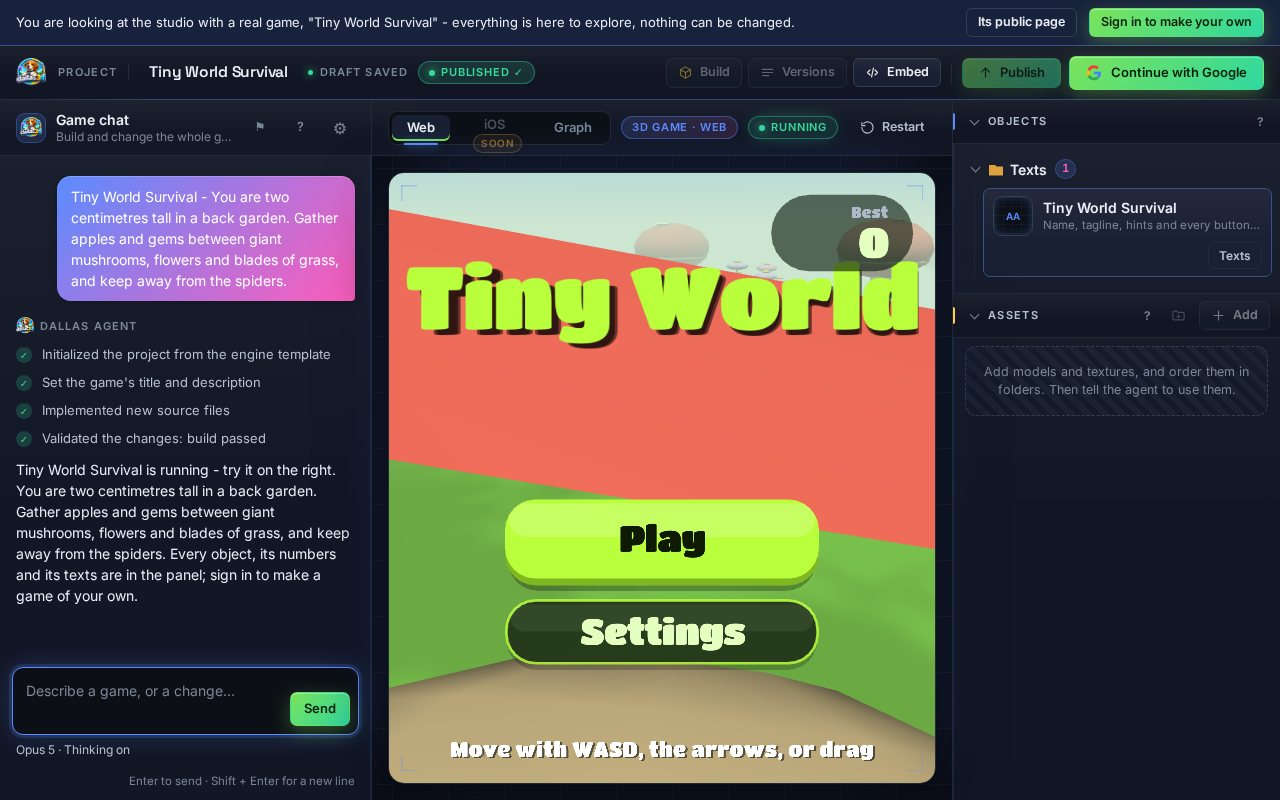
The Studio is one screen with three parts. The first time you open it, a one-minute tour shows what each part does. The ? next to the chat settings plays it again.
- The chat is where you ask. You see each step as it happens, in plain words, and the answer tells you what changed and how to try it.
- The preview is the game itself. It reloads after every change, so you always play the newest version. Its tabs switch between Web, Android and the Graph.
- The panel holds the free tools, then the game's texts, its objects, its artwork (the icon and the menu background) and the files you added.
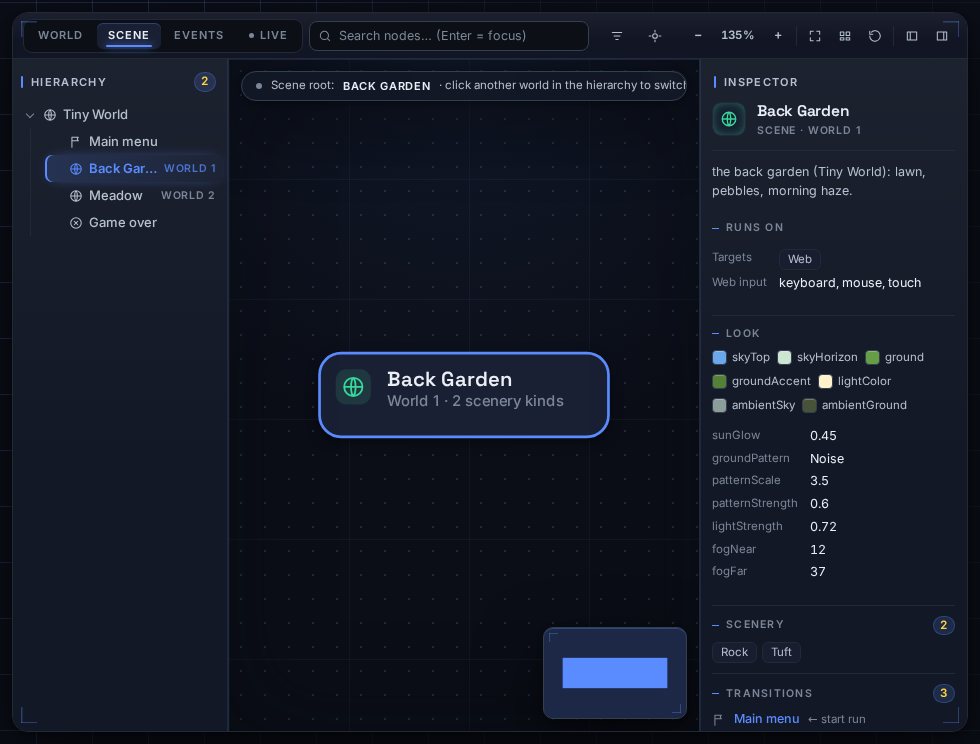
Every change is remembered. If a change made the game worse, Revert takes you back to how it was before.
3 Kinds of games
Dallas3D makes 2D and 3D games. You can say which you want, or let it choose from your description.
New games now start from the right kind of game. Say "first person" or "a kart race" and the game begins with the camera, the controls and the touch buttons that this kind needs, on a computer and on a phone. You get a better first version, and less of your request is spent on the basics.
3D
- First person
- Third person: action, close combat, open world
- From above, and isometric
- Strategy
- Platformer
- Endless runner
- Cars and racing
2D
- Platformer and side scroller
- From above
- Endless runner
- Arcade: paddles, bricks, invaders
- Puzzle
Anything else is still fine. A game that fits none of these starts as a free arcade game and is shaped by your words.
4 Worlds: not one flat square
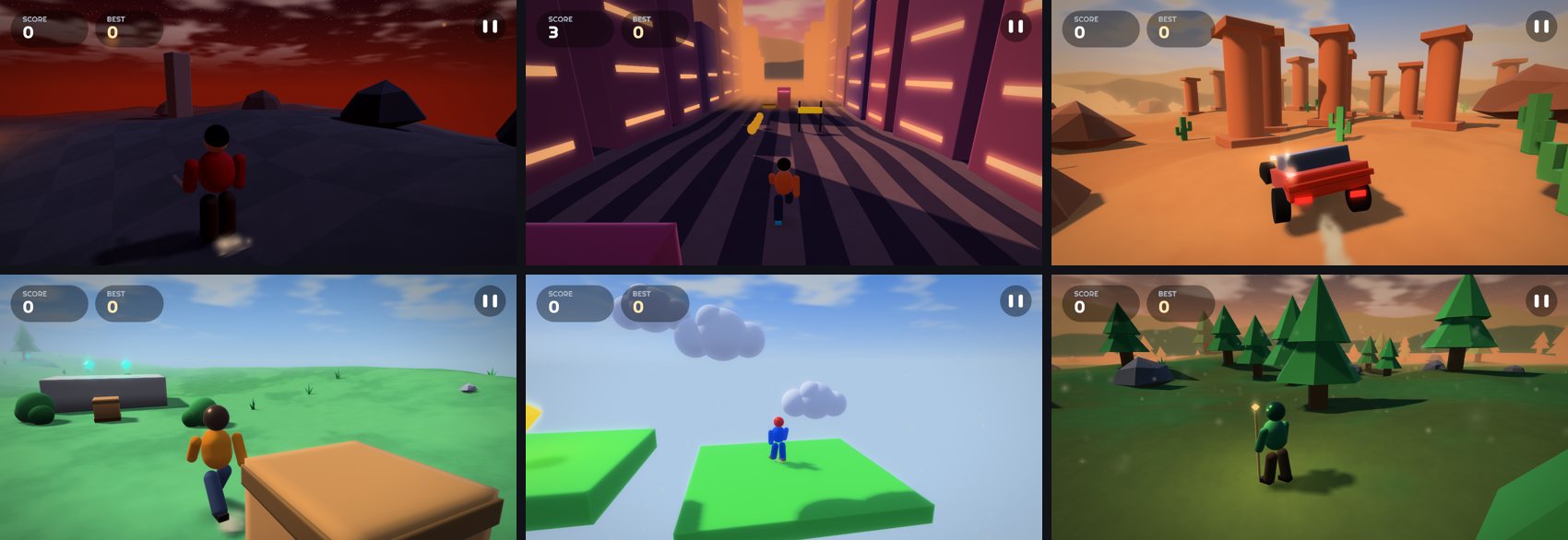
A 3D game used to stand on a flat floor inside a square. Now the world is chosen to fit the game, from your own words: "an island", "an endless road", "explore".
- The shape. A closed arena, a long lane, a wide open land, a road that never ends, or an island with its own outline.
- The ground. Flat, hills, mountains, dunes, a road, a cave, or platforms that float.
- The edge. Walls, cliffs, water, fog or mountains. No more invisible wall in an empty field.
- Real ground. The hero walks up and down the hills, and cars follow the road. Things stand on the ground, not in it and not above it.
- Big worlds stay fast. A large world is built piece by piece around the player, so it also runs on a phone.
The look improved too: soft shadows, a sky that fits the world, fog in the distance, grass and trees in large numbers. The game also watches its own speed and lowers the detail on a slow device, so it stays smooth.
5 Objects: the things in your game
A game is made of objects: the hero, an enemy, a coin, a tree. Each object is listed in the Studio, and each one has its own chat. Open the hero's chat and say "make it jump higher": only the hero changes.
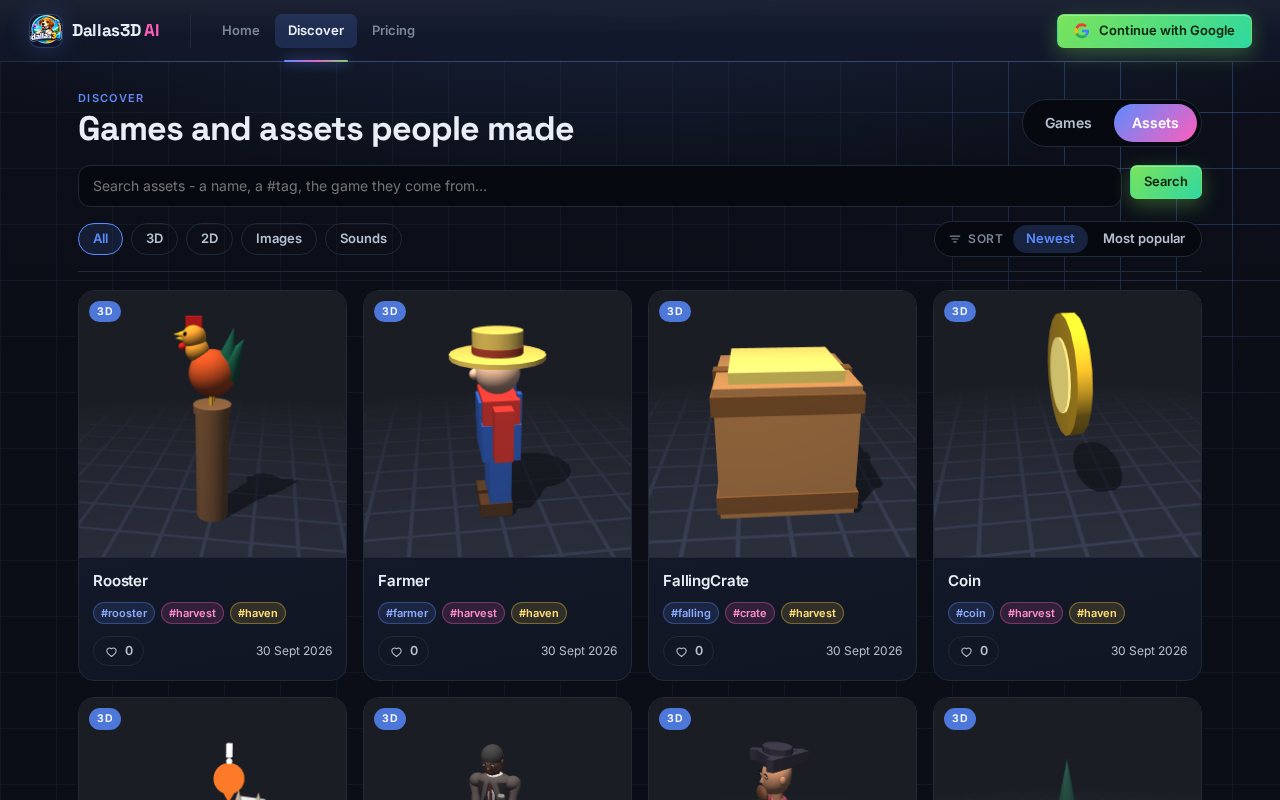
You can look at any object alone, turn it around and zoom in. You can also bring your own 3D models, pictures and sounds, give them a name, and ask for them to be used.
Ready-made objects. Dallas3D has its own store of finished objects: trees, rocks, cars, characters. When one fits your game it is used as it is, which is faster and cheaper than making it from nothing.
Soon 3D models made to order. You describe a model, and it arrives with its colours painted. A character comes with a skeleton, so it can walk and run. Each model will cost 175 Coins, and you are asked before one is made.
6 Pictures and fonts: how your game looks
Every game gets its own look, so two games never come out the same.
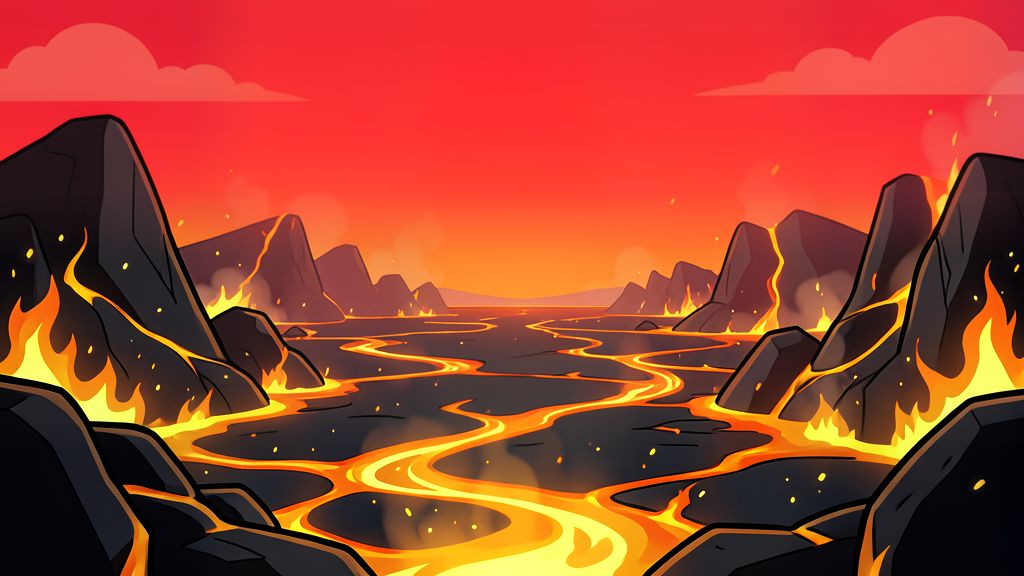
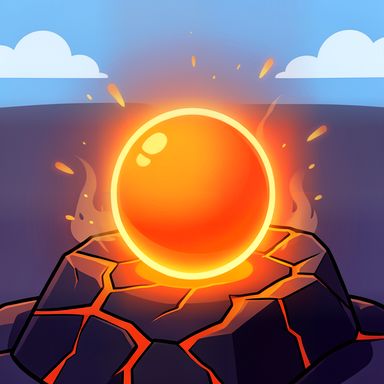
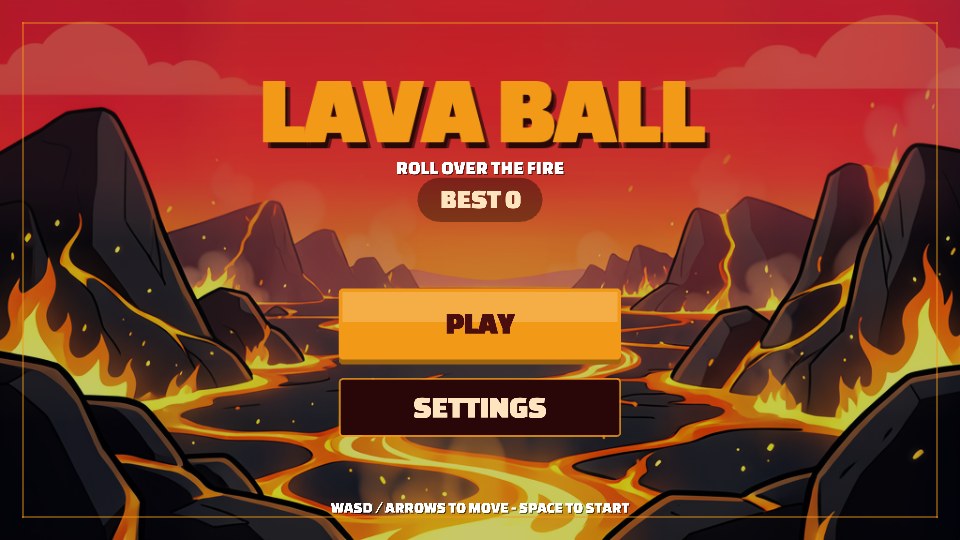
- Two icons and two menu backgrounds are painted for every game. You pick the ones you like.
- Generate again paints four new pictures from your own words, for 20 Coins. You can cancel while they are painted, and then it costs nothing.
- Your own pictures work too: an icon of 512 x 512 and a wide background, up to 4 MB each.
- More than 300 fonts. One font for the whole game, and another for a single text if you want, such as the title.
- Buttons match the picture. Their colours are taken from the background you chose.
7 Free changes: no chat, no Coins
Many changes need no request at all. The Studio's panel has four tools. You change something, press Build, and play. None of them uses Coins.
Tune
The game's numbers as sliders: speed, lives, sizes, how many enemies.
Look
The camera, the menu's style, the colours and the music.
History
The game as it was before each change. One click goes back.
Layout
Drag the buttons and the texts to where you want them on the screen.
The game's words and its fonts are free to change too, as before.
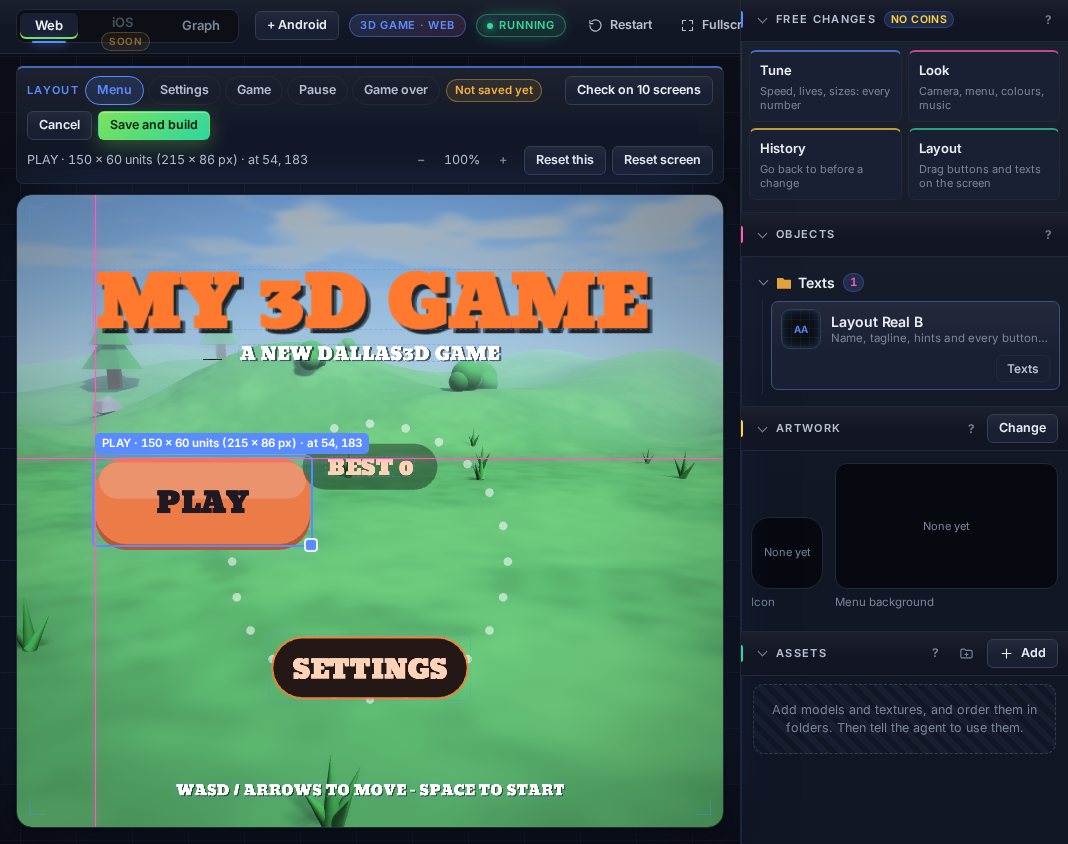
Layout shows the real screens of your game: the menu, the settings, the game itself, pause and game over.
- Drag a button, the score or any text. It moves in the running game as you drag.
- Size. Pull the corner to make it bigger or smaller. Its size and place are always shown.
- Straight lines. A guide line appears when the item is level with another item or with the middle of the screen, and it snaps to it.
- Check on 10 screens tries your layout on ten phone and computer screens. It tells you if something is cut off or covers something else.
- Reset puts one item, or the whole screen, back where it was.
8 Checked before you play
A game that only "builds" is not always a game that works. So a new game is tested before it reaches you.
- It is played. The game is run twice: once with nobody touching it, and once with a test player that moves, jumps and taps. A crash, a run that ends at once or a hero that never moves is repaired first.
- Its menu is measured. The menu is checked on ten screen sizes, so no button is cut off and no text sits on another.
- You are told. The answer in the chat says that the test run passed only when it really did.
These tests are done by the server, so they cost you nothing. A problem found here is one message you do not have to write.
9 Phones: your game on Android
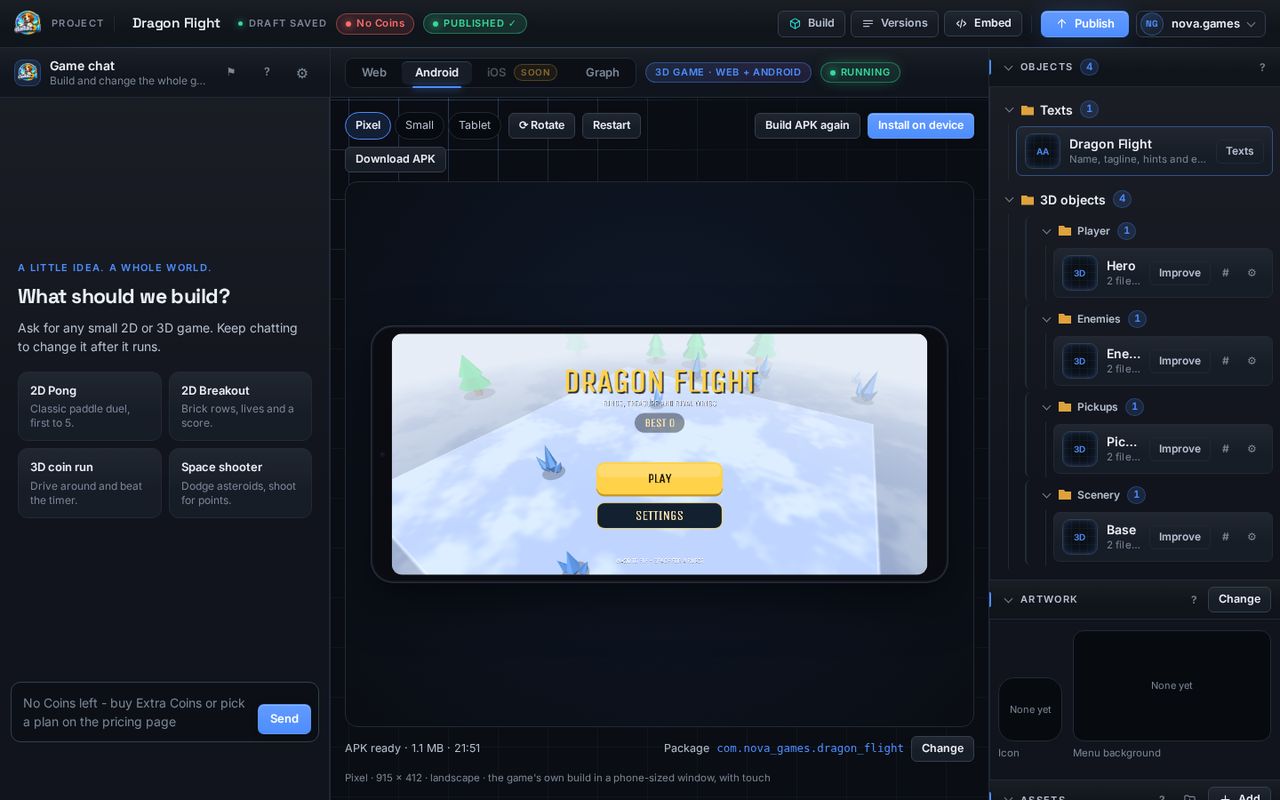
When you create a game you choose where it will run: Web, Android, or both. A web game can get Android later with the + Android button above the preview. For Android you also choose how the phone is held, on its side or upright.
- Try it as a phone. The Studio shows the game in a phone frame, in three sizes.
- Build the app. One button makes a real Android app (an APK file).
- Install by cable. Plug your phone into the computer and the Studio installs the game on it. You confirm once on the phone.
- Touch first. Each kind of game brings its own touch controls: a stick to move, buttons to jump or attack, a swipe to change lane. Nothing needs a keyboard.
- Full screen, held the right way. A web game opened on a phone can fill the screen and turns to the side it was made for.
Soon iOS, for iPhone and iPad.
10 Publishing, versions and your own site
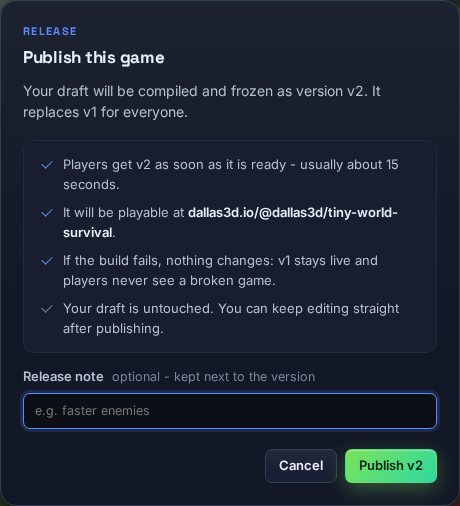
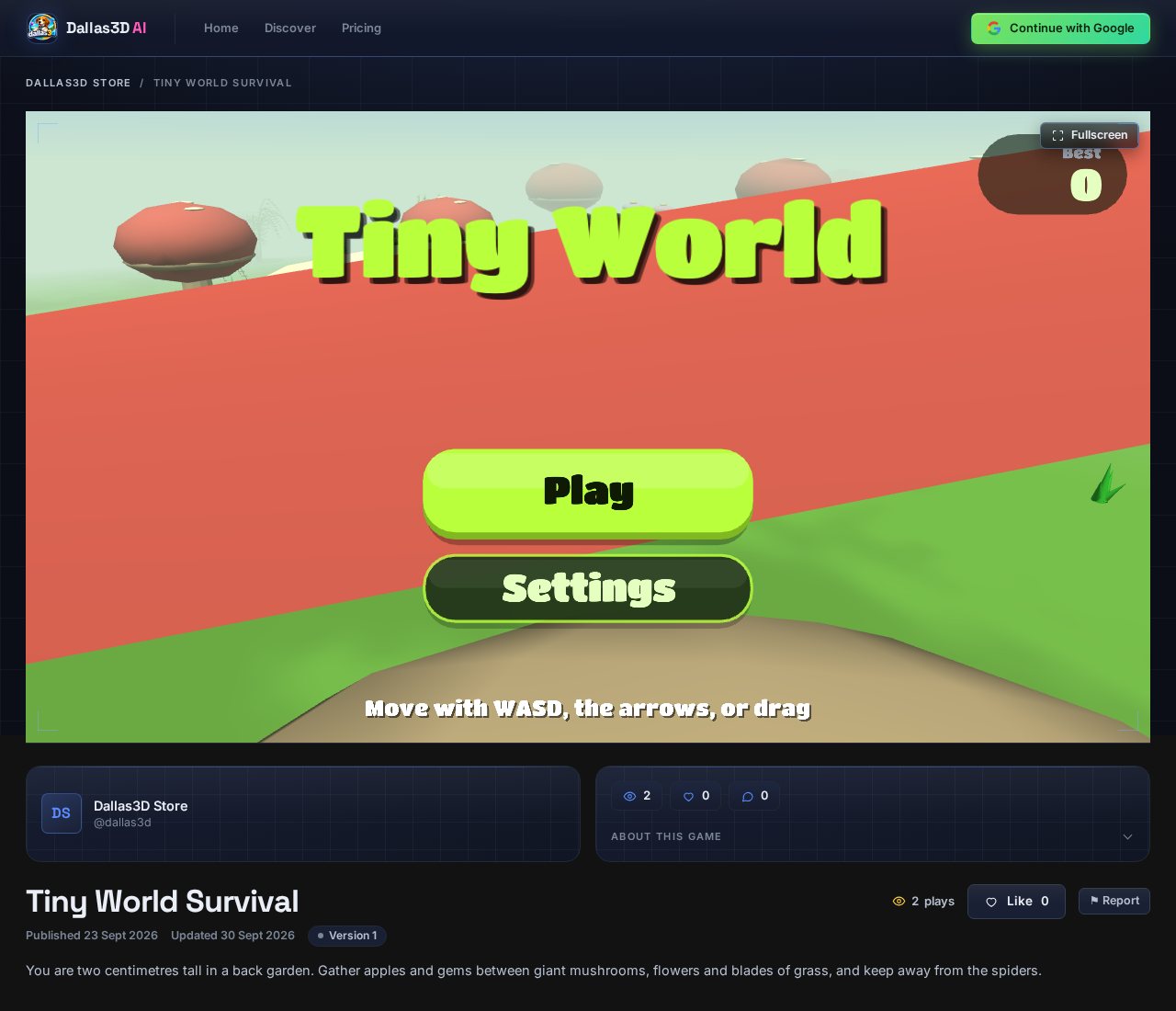
Publish gives your game its own address, such as dallas3d.ai/@you/your-game. Anybody can open it and play. No install, and no account is needed to play.
- Every publish is a version. Version 1, version 2, and so on. Nothing is ever deleted.
- Go back any time. If a new version has a problem, one click makes an older one live again.
- Your draft is yours. Players see only what you published. You can keep working without breaking the live game.
- Best scores are kept. A player who comes back to your game finds their best score still there.
- Android download. If your game has an Android app, its page offers it for download.
- Put it on your own site. Copy a short piece of code and the game runs inside your own page, at the size you choose.
11 Discover: what others made
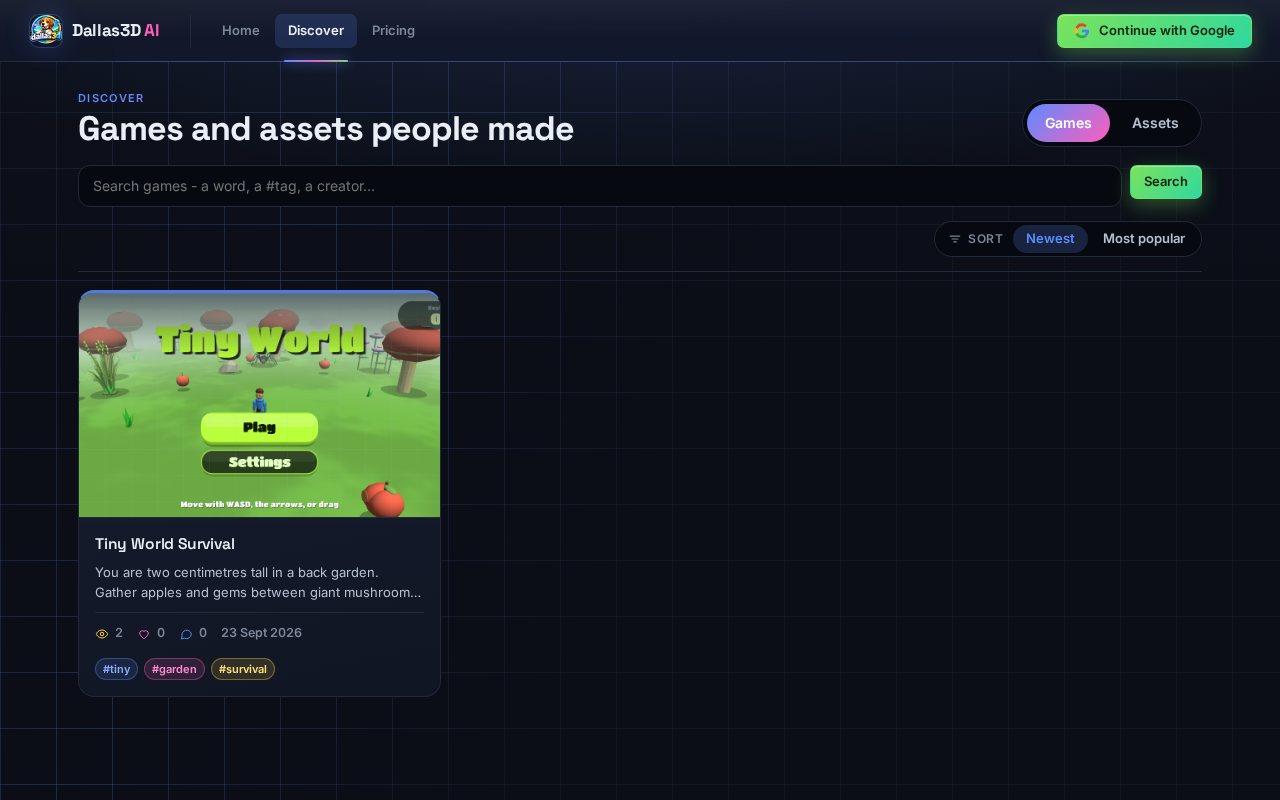
Discover is where published games and shared objects are found. You can search by a word, a tag or a creator, play anything, like it and leave a comment.
Creators can also share single objects. If you see an enemy or a tree you like, you can add it to your own game.
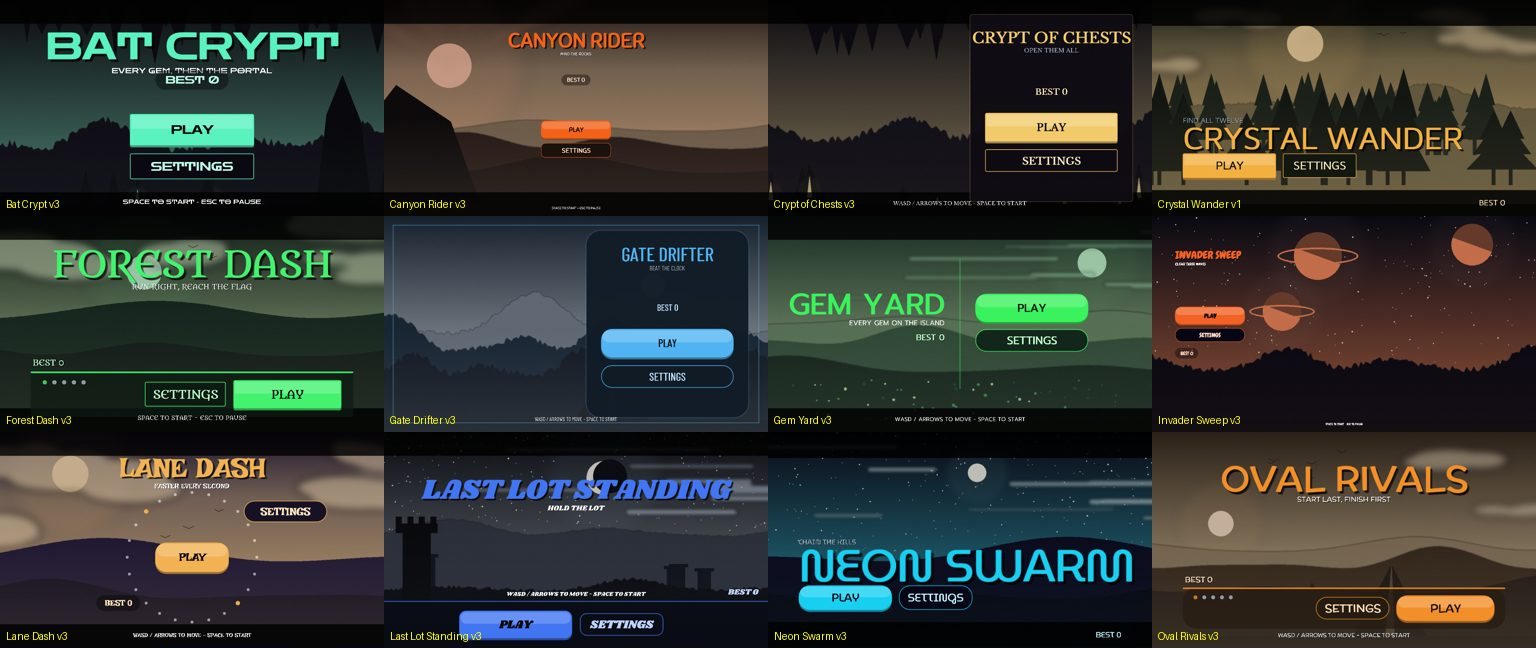
Fifteen games by dallas3d are there to play, one for each kind of game: a first-person crypt, a kart race, a runner, a platformer in the sky, an island to explore and more. They show what one sentence can start.
12 Coins: what costs and what is free
Building and changing a game by chat uses Coins. How many depends on how big the request is. Your balance is always shown at the top of the Studio.
Uses Coins
- Asking for a new game
- Asking for a change in the chat
- A new set of pictures (20 Coins)
Free
- Playing any game
- The first icons and backgrounds
- Tune, Look, History and Layout
- Changing texts and fonts
- The test run and the menu check
- Building, publishing, going back a version
- Building and installing the Android app
A new game now starts from a finished base for its kind and uses ready-made objects where they fit. That work is no longer paid for with your Coins.
Plans and prices are on the pricing page.